Remove a teammate
Only the organization owner can remove members from the workspace.
Step 1 — Open the Team page
Tap the menu icon, then tap Team.
Step 2 — Find the teammate
Scroll through Members and locate the person you want to remove.
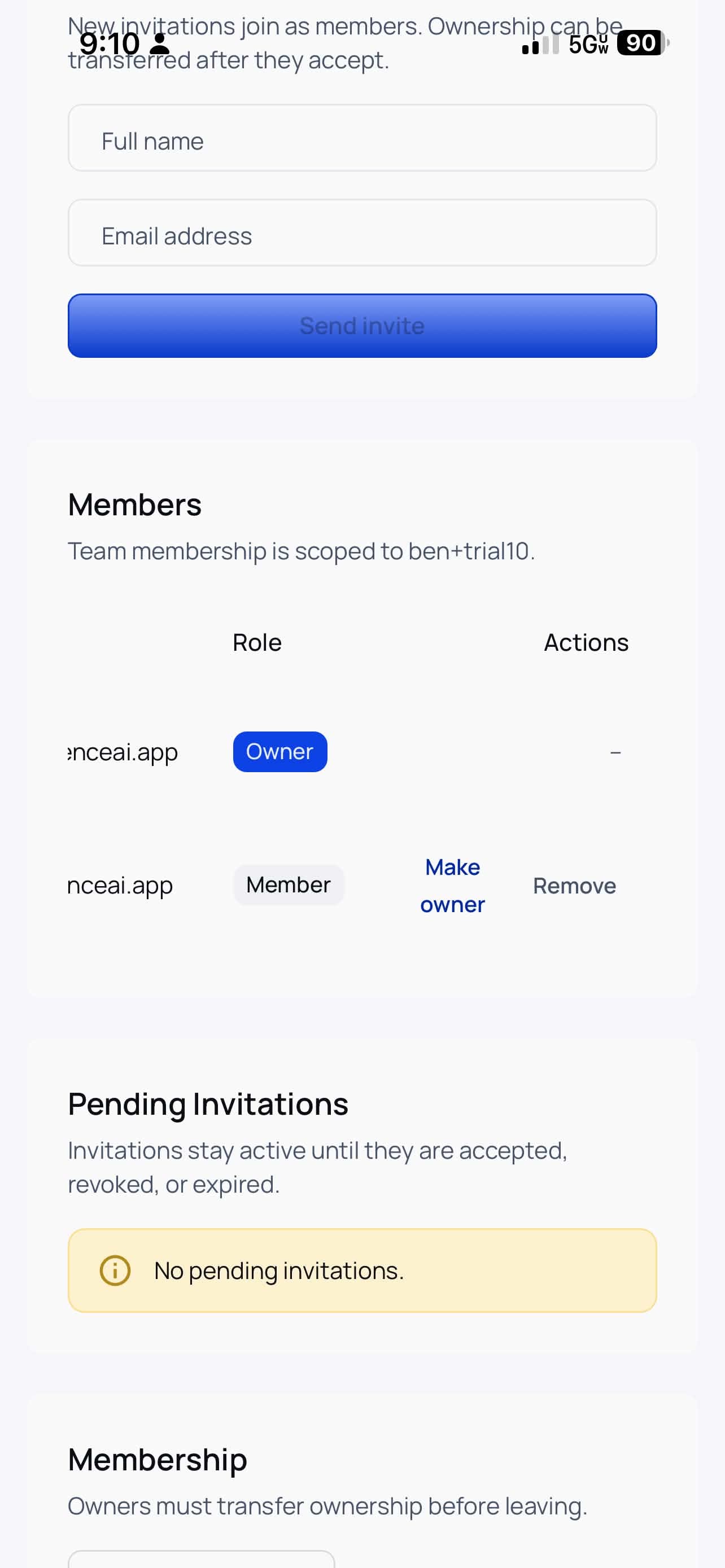
Step 3 — Tap Remove
Tap Remove next to their name and confirm the action.
Result
The teammate loses access immediately. If needed, you can invite them again later with Invite a teammate.