Leave an organization
Use this guide if you need to remove yourself from a workspace you no longer belong to.
Step 1 — Open the Team page
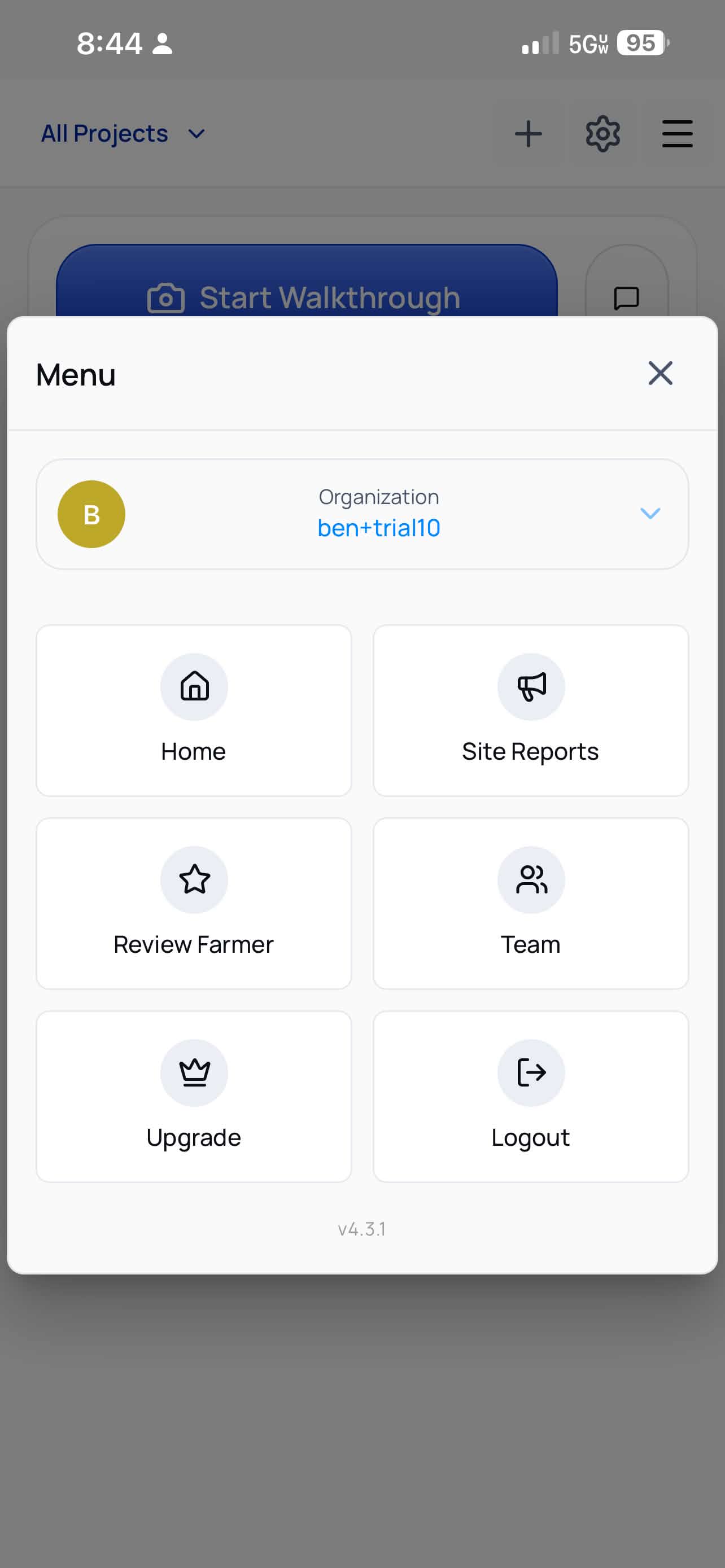
Tap the menu icon, then tap Team.
Step 2 — Use the membership controls
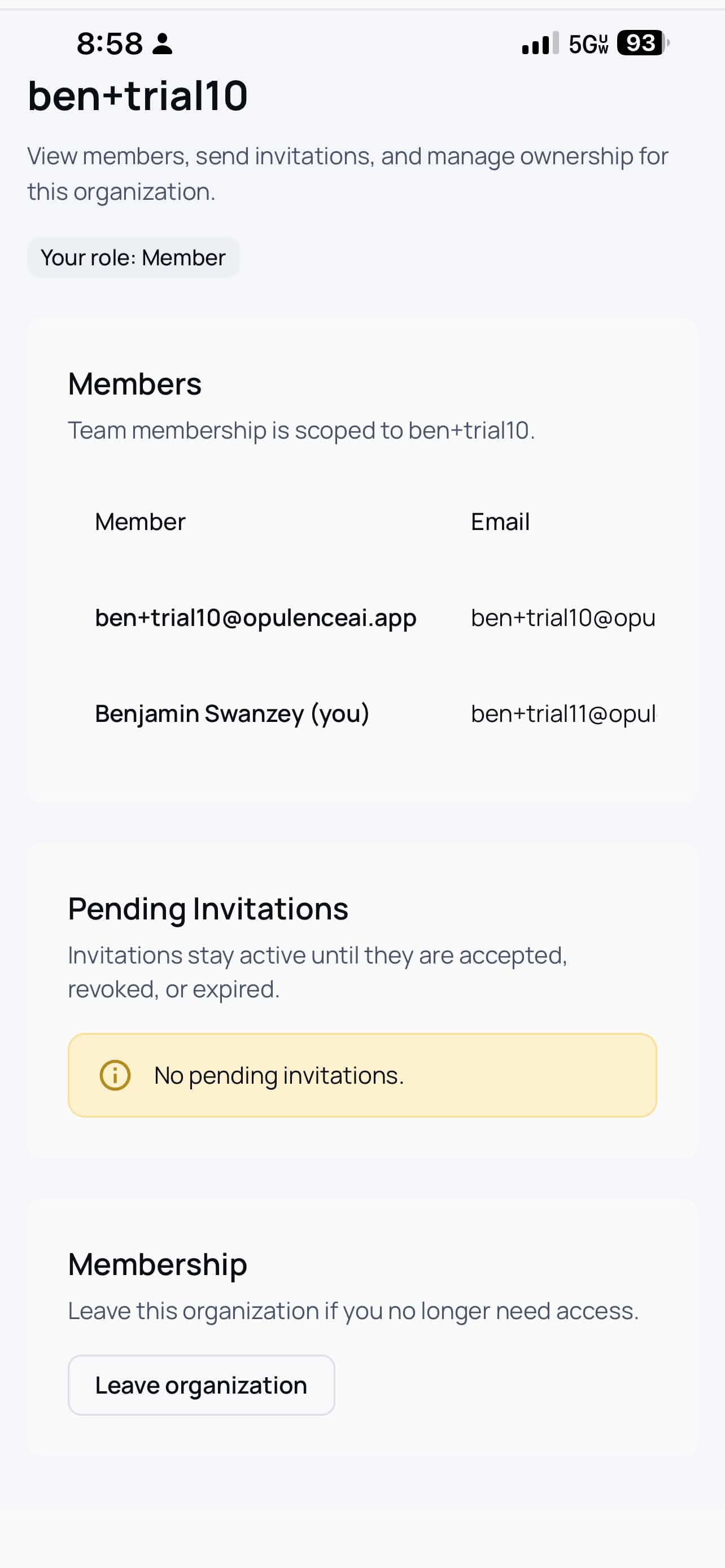
Scroll to the bottom of the Team page. In the Membership section, tap Leave organization.
Before you leave
Make sure you still have access to any other workspace you need, especially if this is your only Opulence organization.