Invite a teammate
Use this guide when your workspace is ready and you want another person to join it.
Step 1 — Open the Team page
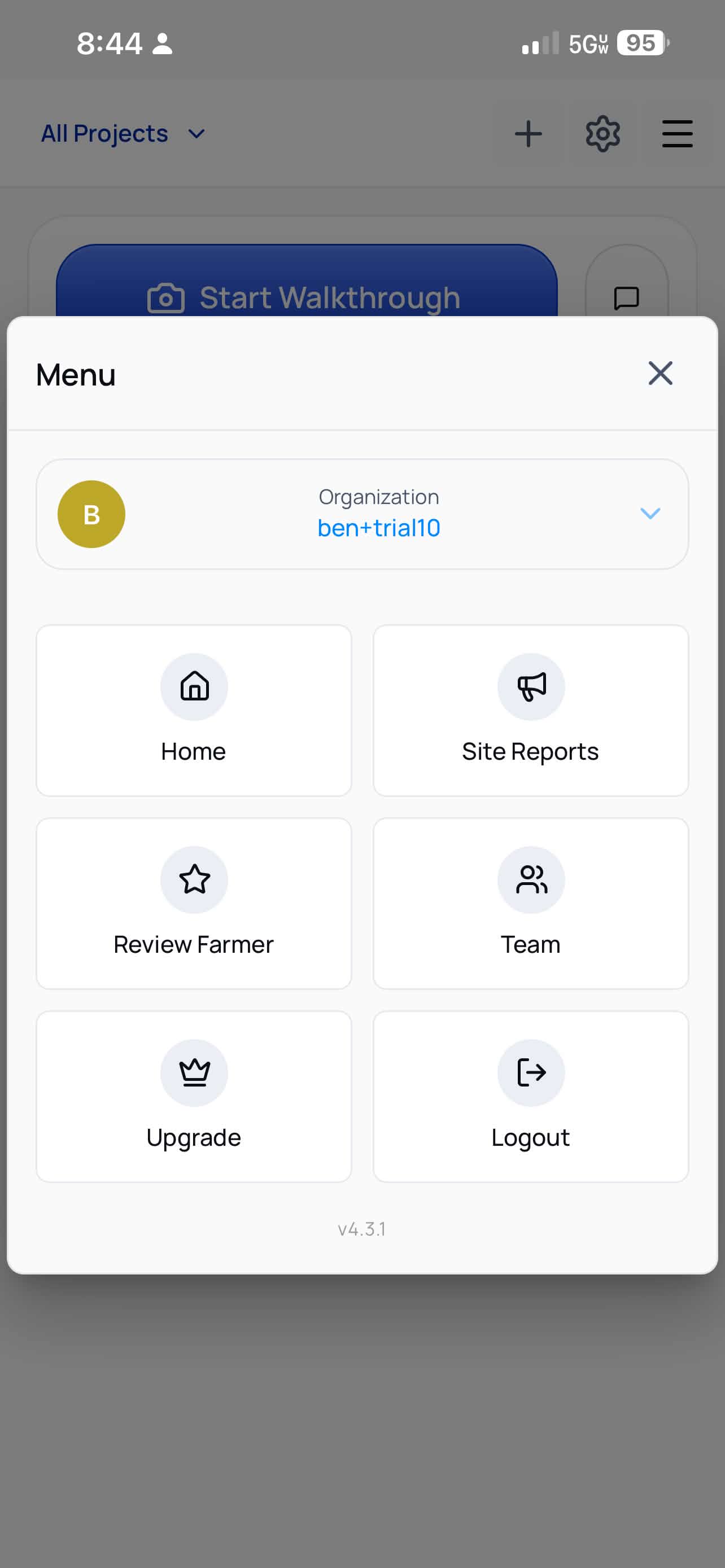
Tap the menu icon, then tap Team.
Step 2 — Send the invite
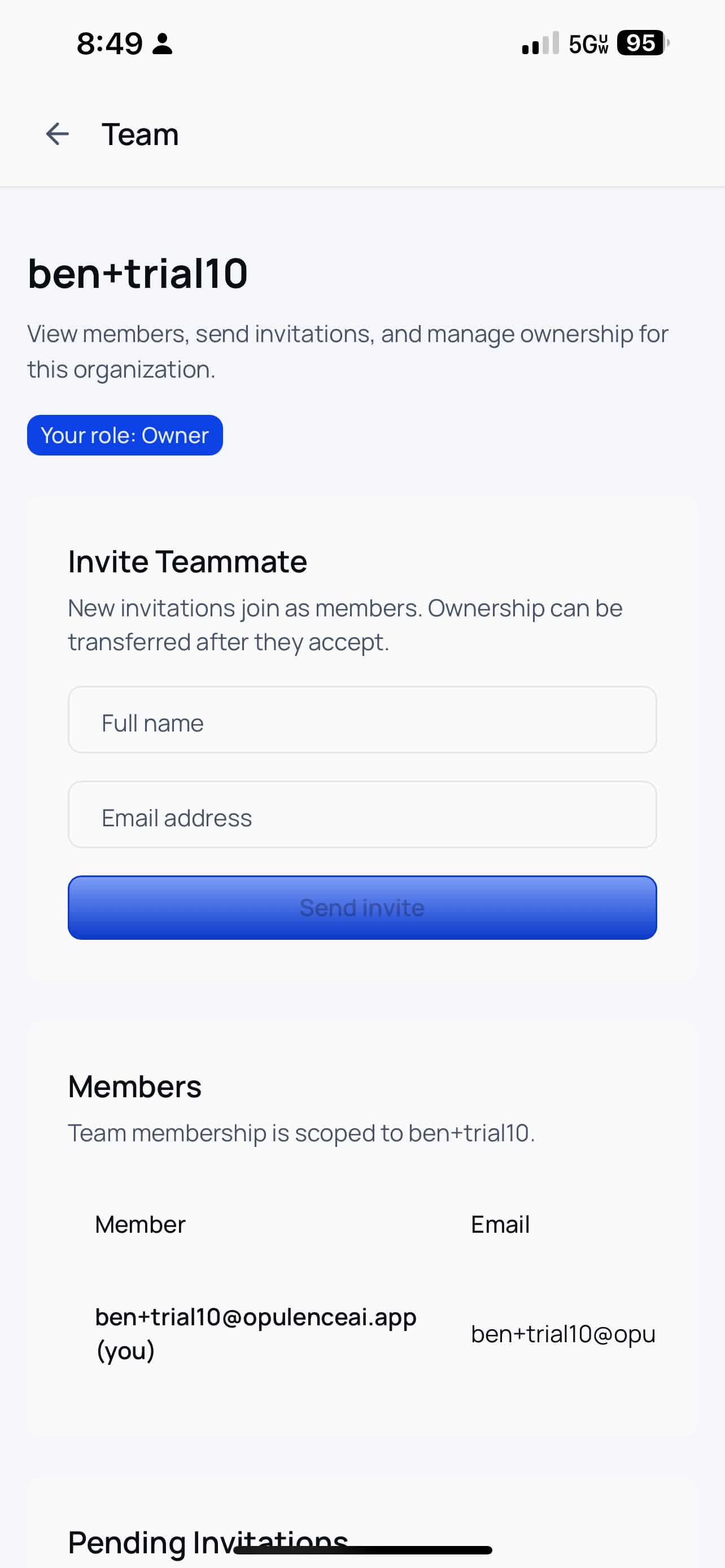
In the Invite Teammate section, enter:
- Full name
- Email address
Then tap Send invite.
tip
The person does not need an existing Opulence account before you invite them.
Step 3 — Ask them to accept the invitation
They will receive an email with instructions to join your workspace. Share Accept an invitation if they need a direct walkthrough.